From Photo to Editable 3D Booth: How Image to 3D Works
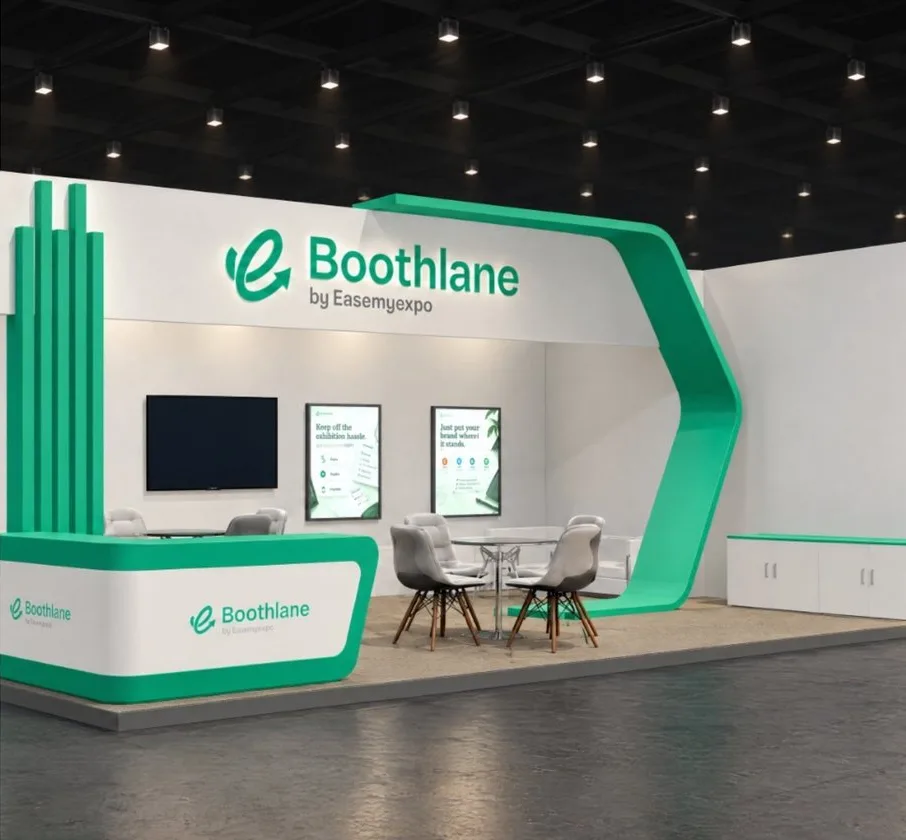
You have seen a booth you love, in a photo from last year's show, a render from your agency or an image you generated. Turning that picture into a 3D booth you can change used to mean hiring a 3D designer. With Image to 3D on Boothlane by EaseMyExpo, you upload the picture and get an editable 3D booth.
How it works
- Upload one or more images of the booth. More angles give a closer result.
- Set the real size (for example 3 m x 3 m or 6 m x 3 m) and the booth type: inline, corner, peninsula or island.
- Choose a quality level. Faster options take a few minutes; the highest quality option takes longer and gets closer to the image.
- The AI builds the booth from walls, counters, fascia, lighting and furniture, then checks it against your photo and fixes differences.
- It opens in the editor, where every part can be selected, moved, resized and recoloured.
Why "editable" matters
A 3D model you cannot change is just a picture. Because the booth is built from real parts, you can:
- Resize it from 3x3 to 6x3.
- Swap colours and branding to your own.
- Add or remove counters, screens and furniture.
- Render it from any angle in high quality.
- Export OBJ or FBX for your fabricator.
Tips for the best result
- Use clear, well-lit images that show the whole booth.
- Add more than one angle if you have them.
- Give the right size and open sides. These matter more than anything else.
- Pick the higher quality option for curved or complex designs.
- Expect to fine-tune. Treat the result as a strong first draft, then adjust in the editor.
Prompt to 3D
No image? Describe the booth in a sentence or two, such as "6x3 corner booth for a coffee brand with a tasting bar and wooden finishes", and get an editable 3D booth from the text.
FAQ
Can I use an image I generated with AI?
Yes. Any clear image of a booth works as a starting point.
Will the 3D booth match the photo exactly?
It gets close, and you can adjust any part afterwards in the editor.
Can my fabricator use the file?
Yes. Export OBJ or FBX, and share renders and views.
Try it: Turn a photo into a 3D booth on Boothlane by EaseMyExpo. Free trial credits included.