
From Reference Image to Approved Peninsula Booth: A 3D Design Workflow
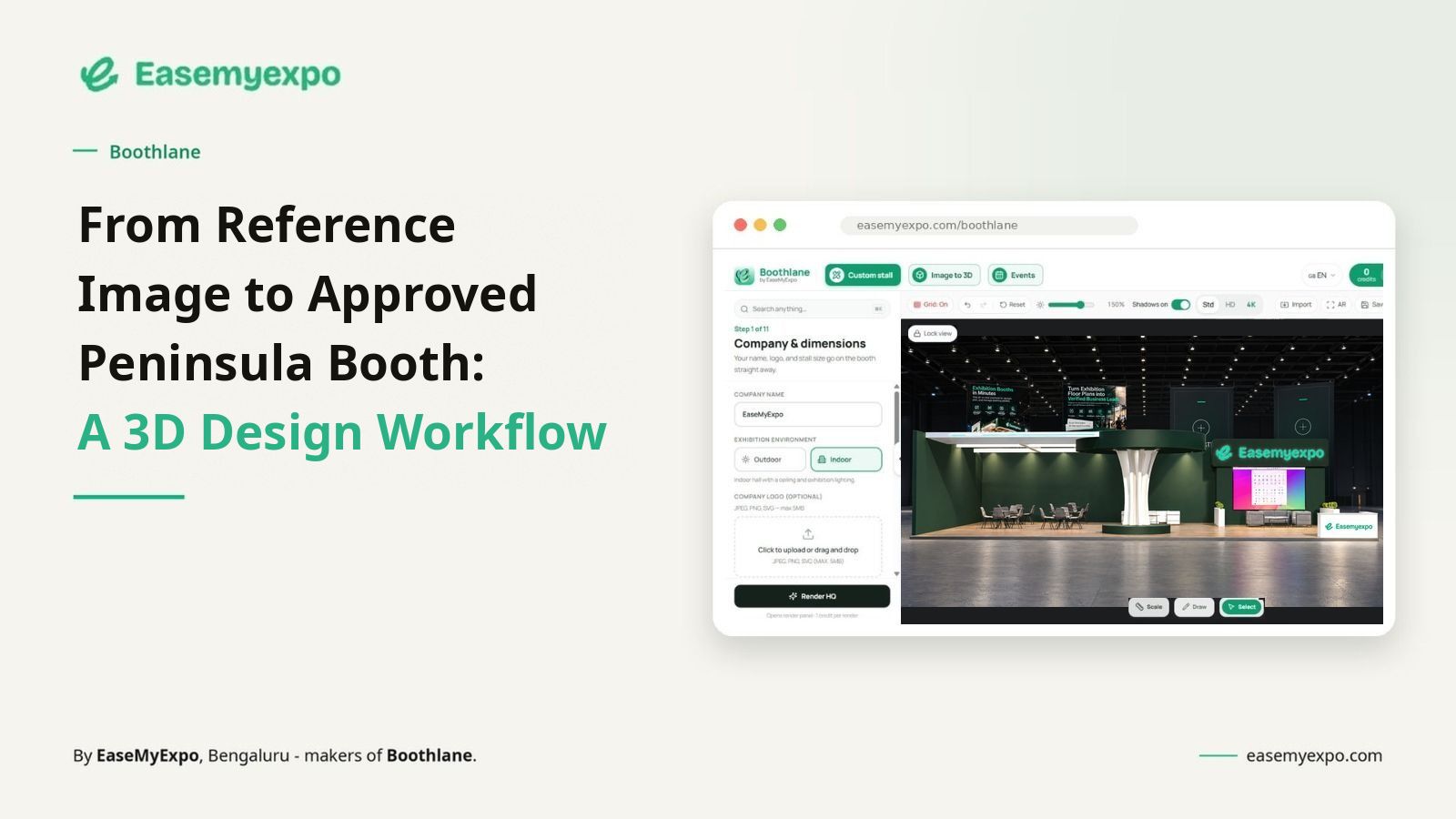
A reference image is useful, but it is not a buildable answer. The useful question is: what exactly do you like about it, and how does that idea behave inside your booked footprint?
A peninsula exhibition stall is mainly a visibility-and-movement problem. The footprint matters, but the more useful question is how a visitor experiences the stand from the aisle. In this format, three-side access, rear-wall planning, activity zoning and long-distance visibility decide whether the booth feels clear or confused.
Boothlane by EaseMyExpo lets exhibition teams create, edit and review 3D stall concepts in the browser. The aim is not to replace technical design or fabrication. It is to make early decisions visible enough that marketing, design and fabrication teams can discuss the same thing before the build starts.
Quick Answer
How do you turn a reference image into a peninsula booth concept?
Use the reference for visual cues such as colour, structure, lighting or display style. Then apply those ideas to the actual booth dimensions, keep all three open sides accessible, add real branding and furniture, and review the concept in 3D before fabrication.
What Is a Peninsula Exhibition Stall?
A peninsula exhibition stall is a booth open on three sides with one rear boundary. Its design should focus on three-side access, visitor flow, rear-wall planning and visibility from multiple aisle approaches.
Is a Reference Image Enough to Design the Booth?
No. A reference image is useful for style and visual direction, but it does not account for your exact footprint, aisle access, organiser rules or technical requirements.
How Should a Reference Image Be Used?
Use it to guide elements such as colour palette, fascia style, lighting, materials and product-display treatment. Rebuild the layout around the real booth dimensions instead of copying the reference exactly.
Example Workflow: Reference Image to Peninsula 3D Concept
1. Identify what you actually like
Is it the colour palette, the overhead form, the shelving, the lighting, the hospitality feel or the way products are grouped? Write that down before modelling.
2. Set real dimensions and orientation
Use the booked footprint and three-side-open configuration. Check which aisles are active and where neighbouring stands sit.
3. Create an editable starting point
Use an image-to-3D workflow or start from a suitable ready layout. Treat the result as something to edit, not something to approve untouched.
4. Remove what does not serve the brief
Reference images often contain furniture, walls or decorative forms that do not help your objective. Delete first; add later.
5. Add real brand content
Replace placeholder logos and screens with the actual message hierarchy, product visuals and brand colours. Review legibility at realistic scale.
6. Add products and furniture with dimensions
Use product sizes and working clearances, especially for doors, machines, stools and meeting chairs.
7. Review from aisle level
Check all three open sides plus the rear-wall relationship. If one view is doing all the selling, the concept is not yet robust.
8. Create approval views and record the chosen version
Use a front/primary view plus supporting angles. Record what is approved and what still needs technical confirmation.
9. Hand the concept to the fabricator with context
Share dimensions, event manual, product measurements, preferred finishes and unresolved questions. The visual should reduce ambiguity, not hide it.
How Boothlane Helps With Peninsula Stall Design
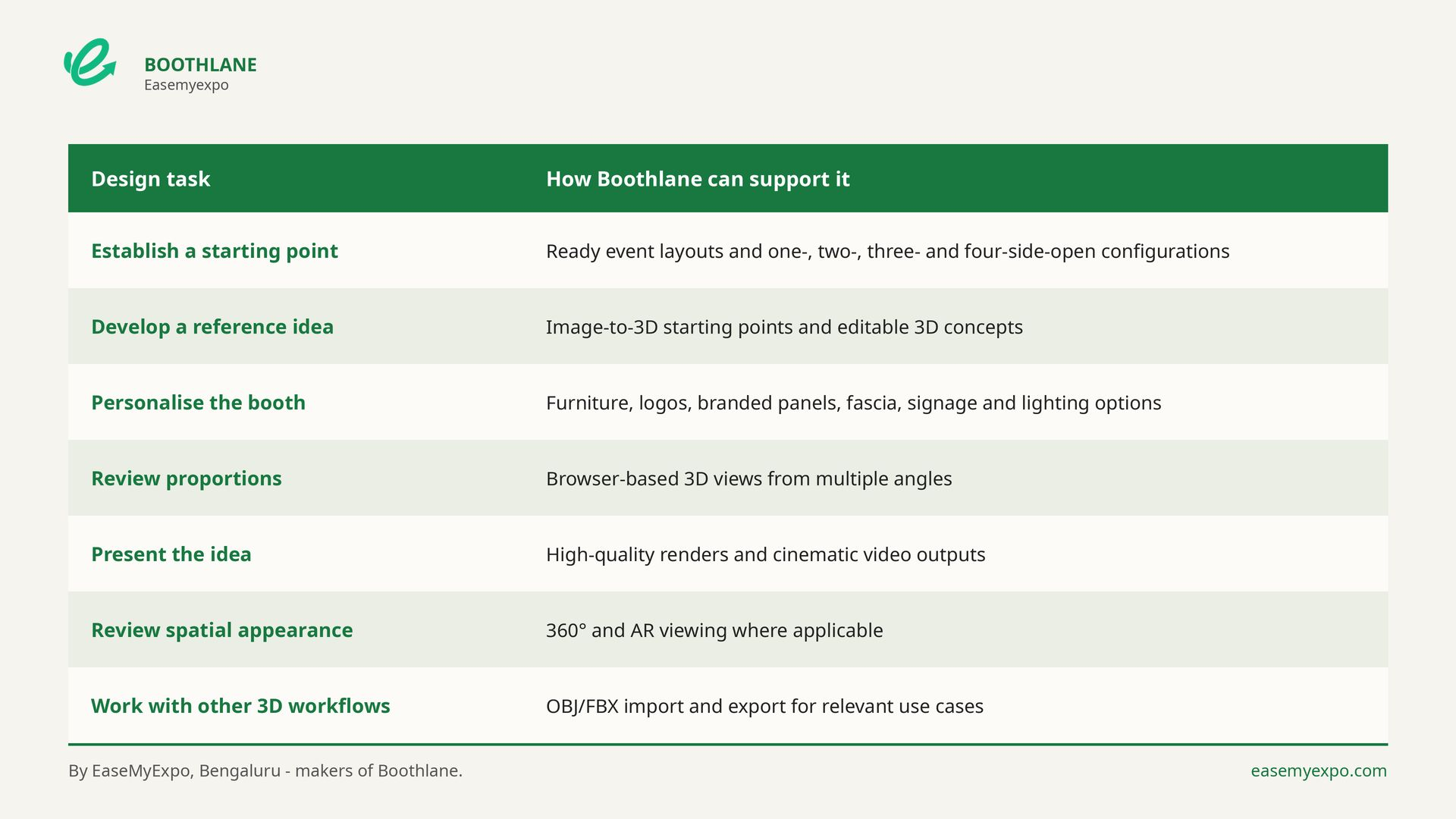
The useful part is not the number of features. It is being able to make a specific decision visible: whether a counter blocks entry, whether branding reads from an aisle, whether a product has enough clearance, or whether a meeting area is in the wrong place.
Example: Reviewing a 6m × 6m peninsula Peninsula Stall
Imagine an exhibitor with a 6m × 6m peninsula peninsula booth, three products, two staff members, brochure storage and one short-conversation area. The first version looks clean when empty, but the review should focus on use rather than appearance.
- Can the main product be seen from all three open sides plus the rear-wall relationship?
- Can two visitors stop without standing in the main entry or exit path?
- Can a staff member stand behind the counter without closing the opening?
- Can chairs pull out and storage open without hitting another object?
- Does the primary brand message remain visible when people are inside the booth?
- Is there a clear difference between what is visually approved and what still needs technical validation?
If the answer to one of these is no, change the layout while it is still a concept. That is faster than discovering the issue after graphics are printed or furniture is already on site.
Peninsula Stall Design Checklist
- Dimensions: Confirm frontage, depth, orientation and usable clear floor area.
- Open sides: Confirm the three open side(s) and the actual aisle approaches.
- Brand visibility: Check the main message at walking distance and approximate eye level.
- Counter position: Make sure staff can use it without becoming the entrance barrier.
- Product access: Leave room to approach, inspect or demonstrate the main product.
- Furniture: Review occupied chairs, stools and working clearances.
- Storage: Keep supplies concealed while allowing doors or drawers to open.
- Screens: Give viewers a place to stand inside the booth footprint.
- Lighting: Check product emphasis, shadows and screen glare.
- Visitor flow: Test entry, stopping, conversation and exit as separate movements.
- Render review: Approve more than one camera angle.
- Technical check: Compare the concept against the specific event manual and fabricator requirements.
Who Can Use Boothlane for Peninsula Stall Planning?
- Exhibitors reviewing products, furniture, branding and visitor comfort before sign-off.
- Exhibition agencies developing early concepts and showing clients alternative directions.
- Fabricators clarifying the intended appearance before discussing materials and construction.
- 3D designers exploring layouts and presentation directions alongside specialist tools.
- Freelancers presenting faster concept options during client reviews.
- Marketing and sales teams checking messages, product emphasis and on-stand usability.
External Reference: Booth Types and Show Rules
NAMM describes peninsula booths as exposed to aisles on three sides. Its rules also illustrate why sightlines, rear-wall treatment and sign setbacks must be checked against the specific event manual.
NAMM Booth Display Types & Regulations
Use this as an example of how organisers define booth categories and sightline rules, not as a universal construction standard. Always check the manual for the specific exhibition you are attending.
Frequently Asked Questions
1. What is a peninsula exhibition stall?
A peninsula exhibition stall is a larger booth exposed to aisles on three sides, usually with one rear boundary shared with or facing neighbouring stands. The configuration affects visitor approaches, branding surfaces and how furniture or activities should be positioned.
2. How do you design a peninsula exhibition booth?
Confirm the booked footprint and organiser rules first. Then protect the three open sides, place the main visitor activity, add the minimum furniture required, and review the design from realistic aisle angles before approval.
3. Can I design a peninsula exhibition stall online?
Yes. Browser-based tools such as Boothlane support early-stage 3D concept development, branding, furniture placement and presentation views without installing heavy desktop software.
4. Does a 3D concept replace a fabricator drawing?
No. A 3D concept helps teams agree on appearance, layout and presentation. Fabrication drawings, engineering, material specifications, venue approvals and installation planning remain separate technical work.
5. What should I check before approving a peninsula booth?
Check approach visibility, entry clearance, occupied furniture, product access, storage, screen viewing positions, lighting, graphics and the relationship between the concept and the event manual. For a peninsula stand, pay particular attention to use the rear boundary deliberately and keep the other three sides genuinely approachable.
6. Can Boothlane create renders for internal approval?
Yes. Boothlane supports presentation outputs such as high-quality renders and cinematic views, helping stakeholders review the same concept before it is taken forward for fabrication.
7. Can a reference image be used as a starting point?
Yes. A reference image can be useful for colour, form, materials or display treatment. It should be adapted to the real footprint and event constraints rather than copied as if every booth has the same dimensions and rules.
8. Who should review a peninsula booth concept?
At minimum, involve the person responsible for the brand message, someone who understands the product or demo requirement, and the fabricator or technical team responsible for feasibility. Sales teams can also spot usability issues that a pure visual review misses.
10 Peninsula Exhibition Stall Design Mistakes to Fix Before Fabrication
Turn the Reference Into a Decision, Not Another Moodboard
A useful 3D workflow turns a vague reference into something specific enough to discuss: dimensions, access, branding, furniture, product position and presentation. That clarity makes the next conversation with the fabricator much better.