
Best SketchUp Alternatives for Exhibition Stall Design in 2027
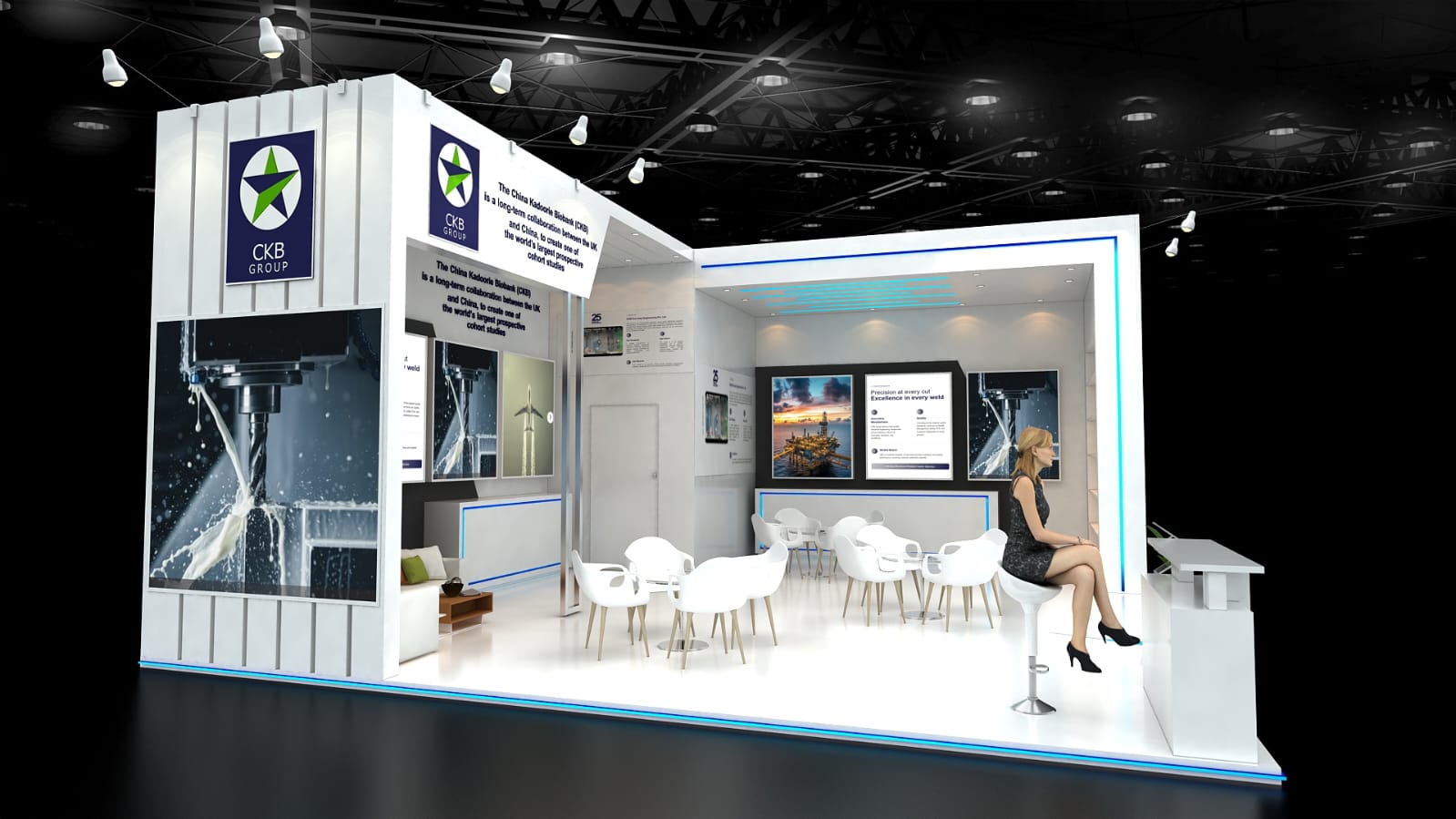
SketchUp is still widely used for exhibition stall design because it gives designers detailed control over geometry, layouts and custom structures.
But every exhibition stall does not need to begin with detailed manual modelling.
The first stage is usually much simpler: understand the brief, explore a design direction, show it to the client, make changes and get the concept approved.
That is where browser-based exhibition design tools can make the workflow faster.
Boothlane by EaseMyExpo helps exhibition teams move from a stall requirement to a visual concept and then into an editable 3D design without starting with a blank model.
Internal link: Explore Boothlane by EaseMyExpo
Quick Answer
What is a good SketchUp alternative for exhibition stall design in 2027?
Boothlane by EaseMyExpo is a useful SketchUp alternative for early-stage exhibition stall design. Teams can describe their stall requirements, generate a concept, review different views and continue with an editable 3D design in the browser.
SketchUp remains better suited to detailed custom modelling and technical development.
Why Look for a SketchUp Alternative?
SketchUp is powerful, but it usually works best when the person using it already understands 3D modelling.
For exhibition agencies, exhibitors and marketing teams, the bigger challenge often comes before detailed modelling begins.
A client may know:
- the stall size
- the number of open sides
- the brand colours
- the products to display
- whether meetings are required
- what kind of look they want
But turning that information into the first visual direction can still take time.
This is where a simpler concept workflow can help.
Instead of beginning with detailed geometry, teams can first create a visual direction, review the layout and decide what should move forward.
The older workflow also identified early briefing and revision cycles as one of the main areas where traditional 3D modelling can become slow. Pasted text
1. Boothlane by EaseMyExpo
Best for: Exhibition agencies, stall designers, exhibitors, fabricators and marketing teams that want to create and review stall concepts quickly.
Boothlane is a browser-based exhibition stall design and visualisation tool.
You can begin by describing the stall you want.
For example, your requirement might include:
- 6m × 6m exhibition stall
- two open sides
- dark blue and white branding
- product display wall
- reception counter
- six-person meeting area
- LED screen
- storage area
- modern design style
Boothlane uses those requirements to create an initial stall concept.
If the first direction is not right, you can explore another option instead of rebuilding everything from the beginning.
Once a direction works, you can review the stall from different angles and continue with an editable 3D version.
How does Boothlane work?
The basic workflow is:
Requirement → stall concept → different views → editable 3D → changes → review
This makes Boothlane useful before a project reaches detailed technical design.
Users can also work with branding, furniture, stall elements and layout options inside the browser.
Internal link: Design an Exhibition Stall with Boothlane
Who is Boothlane useful for?
Boothlane can help:
Exhibition agencies explore concepts before spending more time on detailed modelling.
Stall designers turn an early client brief into a visual starting point.
Fabricators understand the intended layout before moving into technical detailing.
Exhibitors see what a stall could look like before approving a direction.
Marketing teams review branding, visitor experience and presentation before production begins.
Does Boothlane replace SketchUp?
No.
Boothlane is mainly designed for concept creation, visualisation, editing and early approval.
SketchUp gives experienced designers more detailed control over custom geometry and technical modelling.
For many projects, the two can be used at different stages.
A team can use Boothlane to develop and approve the concept, then continue the selected direction in professional 3D or CAD software when detailed technical work is required.
2. SketchUp
Best for: Designers who need precise custom modelling and detailed geometric control.
SketchUp remains a strong option for exhibition stall designers who already know how to build models manually.
It is especially useful when the stall includes:
- unusual architectural forms
- custom-built structures
- detailed geometry
- complex elements
- technical development before fabrication
SketchUp gives the designer a high level of control, but that control also means the workflow depends more heavily on modelling skill.
The earlier article similarly identified precise geometry and fabrication-level development as areas where SketchUp remains stronger. Pasted text
3. ExhibitionStands.com
Best for: Exhibitors looking for quick stand concepts with a contractor-focused workflow.
ExhibitionStands.com provides an online route for generating exhibition stand concepts.
Its approach is particularly relevant for exhibitors who want to develop an initial direction and then move toward finding a contractor.
The earlier comparison positioned it mainly around quick stand generation and contractor discovery for the UK and European market. Pasted text
It can be useful for early visual exploration, although teams wanting more direct control over an editable exhibition stall may prefer a different workflow.
4. ExpoBooth.ai
Best for: Teams that prefer a managed approach to creating booth visuals.
ExpoBooth.ai follows a more service-led model.
Instead of handling every stage yourself inside a design interface, the brief is submitted and the visual output is created through a managed process.
That approach can work for companies that prefer outside support rather than designing independently.
The previous article also described ExpoBooth.ai as a managed workflow rather than a fully self-serve modelling tool. Pasted text
5. Spacely AI
Best for: Designers who already have a sketch, floor plan or reference image.
Spacely is more useful when something visual already exists.
A sketch, image or floor plan can be used as the starting point for creating a more polished visual direction.
That makes it helpful during presentation and visual exploration.
However, it is a different workflow from starting with an exhibition stall requirement and developing the concept from the brief itself.
The earlier comparison similarly positioned Spacely around image-led visualisation rather than detailed exhibition-specific planning. Pasted text
Boothlane vs SketchUp
Boothlane and SketchUp are useful at different stages of exhibition stall design.
Boothlane is better suited to early-stage concept development and client review.
You can start from a written requirement, create a stall direction in the browser, review different views and continue with an editable 3D concept.
This makes it useful when the team needs to answer a simple question quickly:
“Is this the direction we want to take forward?”
SketchUp is better suited to detailed modelling.
A trained designer can control geometry precisely and develop complex custom structures in greater detail.
The practical choice therefore does not always have to be Boothlane or SketchUp.
A team can use Boothlane for concept development and approval, then take the selected direction into SketchUp or another professional 3D or CAD tool for detailed technical work.
When Should You Use Boothlane?
Boothlane makes the most sense when the project is still being discussed or reviewed.
You can use it for:
- first stall concepts
- client presentations
- layout exploration
- early design revisions
- branding reviews
- internal approvals
- comparing different design directions
This can help teams find problems earlier, before more time is spent on detailed modelling or fabrication planning.
When Should You Use SketchUp?
SketchUp makes more sense when the concept has already moved into detailed design.
Use it when:
- exact geometry is important
- the stall has complex structures
- individual components need detailed modelling
- custom architectural elements are involved
- the project is moving closer to fabrication
Can You Design an Exhibition Stall Without SketchUp?
Yes.
You do not always need to begin an exhibition stall project in SketchUp.
For early-stage concept development, tools such as Boothlane can help teams turn stall requirements into something visual before detailed modelling starts.
A professional designer or fabricator can then take the approved direction forward for technical development.
FAQs
What is the best SketchUp alternative for exhibition stall design?
The best option depends on the stage of the project. Boothlane is useful for concept creation, visualisation and early approval, while SketchUp remains stronger for precise custom modelling and technical development.
Can Boothlane create an editable 3D exhibition stall?
Yes. Boothlane supports a workflow from an initial stall concept to an editable 3D design that can be reviewed and customised.
Can I use Boothlane without a reference image?
Yes. You can begin by describing the stall requirements, including size, open sides, branding, layout, furniture and other design needs.
Is Boothlane useful for exhibition stall designers?
Yes. Stall designers can use Boothlane to explore early concepts, review different directions and communicate ideas before detailed modelling begins.
Can exhibitors use Boothlane themselves?
Yes. Exhibitors and marketing teams can use Boothlane to visualise a stall concept before discussing detailed execution with their designer or fabricator.
Does Boothlane create fabrication drawings?
Boothlane is primarily intended for concept design, visualisation and approval. Technical drawings, engineering checks and fabrication documentation should be completed by qualified professionals.
Conclusion
SketchUp remains an important tool for detailed exhibition stall modelling in 2027.
But the first step of every project does not need to be detailed modelling.
If the immediate goal is to turn a brief into a visual direction, review it with the team and decide what should move forward, Boothlane by EaseMyExpo offers a simpler starting point.
Create the concept, review the stall from different angles, make the necessary changes and then take the approved direction forward for detailed design and fabrication.